Search the Community
Showing results for tags 'Patch'.
-
[RELz] Unofficial Oblivion DLC Patches [UODP]
Arthmoor posted a topic in Unofficial Oblivion Patches
Unofficial Oblivion DLC Patches By Quarn, Kivan, Arthmoor, PrinceShroob, and Sigurð Stormhand The aim of this mod is to fix the bugs existing in the official mods released by Bethesda. NOTE: These fixed plugins use the ESP master (aka mod de-isolation) method which means you still need the original plugins for these plugins to work! The plug-ins are not a redistribution of modified original Bethesda plug-ins, but contain only changes and have the original plug-ins set as masters. Because of this, these are not standard plug-in ESP files. Merging, editing or otherwise modifying them using the Elder Scrolls Construction Set or other utilities may cause them to stop functioning or cause severe bugs in your game! These plugins MUST load after the DLC's that they patch; reversing this load order, or activating the UODP ESP's without the official DLC's that they patch present, can cause Oblivion to crash on launch or load of a save. (The self-installing version will set the appropriate dates; use OBMM or equivalent if you use the manual version to adjust the load order.) The UODP is currently not compatible with the JOG's Official Plugins Unnerfed mod because it modifies the original Bethesda plug-in ESP files. If you use the UODP overtop of Unnerfed, Oblivion may crash on launch. The UODP is compatible with S.M. Plug-In Refurbish (move the S.M. ESP's after the UODP ones with OBMM or equivalent.) If you use the Horse Armor Pack patch with Slof's Armored Horses, the Slof's horses' reins may disappear. Use dev_akm's compatibility patch instead. It is recommended to not activate the Thieves Den' SSSB (Sigil Stone Sound Bug) fix plug-in "DLCThievesDen - Unofficial Patch - SSSB.esp" on an existing game, but rather only on a new game, as otherwise the middle deck of the Black Flag could lose its doors (as their position is stored in the save file) and/or any objects already dropped in this cell could be lost. If you find any bugs with the fixes or any bugs with the official mods themselves please report them to either of us. Downloads AFK Mods Nexus Mods Twenty-Sixth Release (2024-Jan-03) UODP Fixes Bash tags have been updated for each plugin. (Bug #32593) For the Vile Lair patch, DLCDeepscornScript had a comment in the distance check calling for 1500 units when the actual code called for 3000 units. It should have been 1500 units in the code as well. (Bug #32829) Battlehorn Castle bugs fixed (v1.0.13): One of the doors in the castle gatehouse [xx013412] along with its door frame [xx1340f] were clipped badly into the adjacent wall. (Bug #32940) [NR] Frostcrag Spire bugs fixed (v1.0.11): The Spire cells should all be set to public music, which is how all the other player owned homes are set. (Bug #33080) Calindil doesn't sell the Feather Shoes or Fortify Fatigue Pants because the DLC altered ownership on the items when the cell was transferred to faction ownership. (Bug #33044) Knights of the Nine bugs fixed (v1.1.10): Trailing spaces were removed from the quest stage logs for "The Path of the Righteous" [ND04]. (Bug #32946) 00179df3, 00179df4: Columbine plants buried by the landscape alterations at the Priory of the Nine. (Bug #33145) Highwaymen could greet the player with the sarcastic Holy Crusader greeting even though this makes little sense - and also blocks their attempt at robbing you. (Bug #33081) Mehrunes' Razor bugs fixed (v1.0.9): The Morag Tong assassin should no longer stand in place outside the Inn of Ill Omen once he gets there. (Bug #32907) The Orrery bugs fixed (v1.0.8): DLCOrrery directs the player to the Orrery console too soon. The check should have been set for stage 100 or later, not 40 or later. (Bug #32579) Thieves Den bugs fixed (v1.0.16): 0200EEA5: Door into Captain's Cabin that was detached from the wall. Vile Lair bugs fixed (v1.0.12): 0200134F: Unlootable claim moved outside of the tower it was originally in. (Bug #32996) 020021CD: Floating barrel. (Bug #32964) The 3 Purgeblood Crystal Formations in the lair were set to -1 inventory spawns which leads to a documented item duplication bug. Each container will instead respawn with 1 Purgeblood Salt inside as was intended. (Bug #32876) The previous version history can be found here as it is too large to put in one post. -
Unofficial Oblivion Patch By Quarn, Kivan, Arthmoor, PrinceShroob, and Sigurð Stormhand This mod is a joint effort to fix the vast amount of bugs currently existing in Oblivion v1.2.0.416, fixing over 2,300 bugs so far! If you're experiencing a bug with Oblivion and it's not fixed by our mod please by all means report the bug to us in as much detail as possible so we can try to fix it! Also if you find any: levitating trees or rocks, see-through or fall-through walls/objects or other stuff out of place, please let either of us know. To get the exact location, use the console commands sdt 0 and then tdt, click the item, note the Cell (not PC Cell) and form ID value (the eight hexadecimal digits at the top, ie 00123ABC) and indicate what's out of place. You can use tdt again to toggle the debug display off. Thank you and we hope you have a better Oblivion experience! Downloads AFK Mods Nexus Mods Please report any new bugs found on our project bug tracker: https://afktrack.afkmods.com/index.php?a=issues&project=36 This will ensure any reported issues are not lost in the forum shuffle and we'll have them on record to refer to. Yeah, it's a bit of a "better late than never" case but hey Warning: Only use the Unofficial Oblivion Patch with the version of Oblivion is was created for! Using it on an older version than v1.2.0.416 of Oblivion may cause bugs or things not to be fixed that were advertised as such! Oblivion Citadel Door Fix.esp The Oblivion Citadel Doors' opening/closing sounds were played quite a distance away from the actual doors and fixing this problem meant that all instances of this door had to be repositioned in the game; it was made a separate ESP because a misaligned door in another mod is worse then a little door sound. UOP Vampire Aging & Face Fix.esp This plugin disables the ugly vampire aging effect which causes the bug where when the player is cured of vampirism, their face resets to the default male (even for a female player) face for their race. If you're already using another vampire fix such as EggDropSoap's or Scanti's OBSE fixes, or an alternate vampirism mod, then don't enable this one. It's a very small and simple change to a single game setting. To save a mod slot if you have many mods active this separate plugin can be merged with the UOP or with any other mod that is dependent only on Oblivion.esm. v3.5.8 (2024-01-03) UOP Fixes Citadel Door Fix: "Desolation's End" cell name was not copied forward when it was fixed in the main patch. (Bug #32632) A previously edited interior house mesh for Bruma was missing part of its door frame. [Meshes\Architecture\Bruma\brumahouselowerinterior01.nif] (Bug #31851) The previously edited lower class tavern mesh had some bad UVs, skewed textures, and a missing segment above the door frame. [Meshes\Architecture\LowerClass\LowerClassTavernInterior01.NIF] (Bug #31978) Bash tags have been updated. (Bug #32593) Reverted the version of rfwdeadend01.nif added to UOP 3.0.0 due to multiple shading and UV errors. Reexamined the vanilla mesh. Found the following: one UV error in the roof; one gap on the right-hand wall where the roof meets the top of the wall; one gap in the right-hand wall where the wall meets the ruined floor; two gaps where the arch snaps to a adjoining mesh; hairline gaps where the pillars snap to the adjoining mesh. All corrected. Removed some redundant faces on some bricks, merged some duplicate verts on the bricks - left the other duplicate verts to prevent more shading errors. [Meshes\Dungeons\FortRuins\Dungeon\Halls\ManMadeWide\rfwdeadend01.nif] (Bug #32853) Reverted an unwarranted correction to "St. Jahn's Wort" that was made before the UPP team took over maintenance. There was no grounded reason to change the name other than making it conform to the real life plant that looks like it. Nirn is not Earth though. (Bug #33102) Location Fixes Pale blue fog was present inside Hammer and Tongs in Skingrad. (Bug #33601) Mesh and Texture Fixes The tip of the Argonian tail has a misaligned UV map. Fix provided by Clyde BlueSnake. [Meshes\Characters\Argonian\tail.nif] (Bug #32933) Fixed the reported hole in the gable introduced by the UOP, then went through and reworked pretty much the entire UV for the wood sections to remove unnecessary UV seams and reduce stretching/crushing of the texture. Also removed faces left over from the generation of some of the original primitive beveled cubes used to create the frame. Also fixed the UV at the edges of the roof shingle. Added the missing window frame bar between the two window pieces under the gable. This should yield a visual improvement, especially with parallax textures, and a small performance improvement, too. (Meshes\Architecture\LowerClass\HouseLower03.NIF) (Bug #32031) NPC, Creature, and AI Fixes MS47LL1Beast100 should have been set to use MS47BearBrown instead of a duplicate of MS47BearBlack at level 14. (Bug #32142) Vlanarus Kvinchal does not have a sleep package despite owning a bed. (Bug #33636) Maenlorn was supposed to offer bed rental at the Flowing Bowl but his lines were never recorded. These have now been provided so the bed can be rented out now. (Bug #33614) 2 corpses in Harlun's Watch had been placed using zombies. This caused the corpses to be incorrectly identified as undead instead of simply being corpses eaten by trolls. Shivering Isles has a specific corpse which is named "Decomposing Corpse" that looks exactly the same. This object has been duplicated in the UOP and the 2 corpses replaced with this new creature. This then allows non-SI games (I know, but it could still be a thing even in 2023) to have the correct object naming. (Bug #32963) Quest and Dialogue Fixes Mystery at Harlun's Watch [FGC10Swamp] stage 40 could end up with 2 journal entries because the top one lacked a condition for when less than 15 trolls were dead. (Bug #32766) Renting a room at the Border Watch Inn references the wrong NPC when the initial offer of an available room is checked. (Bug #32618) In Ambush [MG17Ambush], after the player acquires the Black Soul Gem, Traven will give an incorrect dialogue response due to checking for the wrong quest stage. (Bug #32586) As part of Chorrol Recommendation Part II [MG05A] it is possible to get Teekeeus stuck in the upper room of the Chorrol guildhall if he doesn't have time to complete delivering the book before you tell Earana you won't be stealing it for her. (Bug #32561) During Lost Histories [TG06Atonement] you may never encounter the Pale Lady because an old UOP edit from 2008 was too specific in checking what stage the quest was at [AmuseiScript]. It's entirely possible to find the secret room with her and Amusei in it without ever interacting with anyone after finding out Theranis got arrested. (Bug #32819) Script Fixes DAOghmaInfiniumScript could crash the game when trying to remove the Oghma Infinium due to the call being made while still in a menu block. A Gamemode block has been added to handle its removal from the player's inventory once it's been read. (Bug #32415) MG19ChestScript mistakenly gave the player 10 carrots when loaves of bread were added to the chest. (Bug #32879) Placement, Layout, and Ownership Fixes 00093F32, 0003158E: Doors in Torbal the Sufficient's house incorrectly marked as owned by Modryn Oreyn. (Bug #32559) 0003C47E: Door in Astante's house incorrectly marked as owned by the Cheydinhal Stables Faction. (Bug #32559) 0003C684: Bedroll at Brindle Home incorrectly marked as owned by Mivryna Arano. (Bug #32559) 00093dcd: Door in M'dasha's house incorrectly marked as owned by WeebamNaFaction. (Bug #32556) BorderWatchMdashasHouse: Incorrectly set as being owned by WeebamNaFaction. M'dirr's house and entry door were incorrectly marked as owned by Dar Jee. (Bug #32556) Tsalajma's house and entry door were not correctly set to be owned by her. (Bug #32556) 00093E44: J'riska's house door was incorrectly marked as owned by the Plotius Family Faction. (Bug #32556) 00093CDC, 00093E44: Vendor chests in the Border Watch Inn incorrectly marked as being owned by Witseidutsei. (Bug #32556) 0000C66C, 00056F37: Rocks adjusted to block a visible gap in the ceiling. (Bug #32294) 0002b613: Door on the upper floor of Two Sisters Lodge that was sticking through the floor. (Bug #32849) [NR] 00041C4E: Floating rock in Kindred Cave. (Bug #33638) 00041CB0: Ceiling with a hole that shouldn't be there in Kindred Cave. (Bug #33638) 000425B6: Ceiling with a hole that shouldn't be there in Kindred Cave Runways. (Bug #33638) 00085533: Adjusted position of a stone deck to prevent z-fighting with its neighbor. (Bug #33108) 00084A15, 00084A18: Door markers exiting from Carac Agaialor were in the wrong positions. (Bug #33062) 000A6649: Glarthir's basket was erroneously added to the Bruma Castle Service Hall. (Bug #33023) Text and Subtitle Fixes MS10/GREETING: "Many guards are coming forward with more evidence of his greed, so it's safe to say he'll been spending quite a bit of time in the city dungeons." -> "Many guards are coming forward with more evidence of his greed, so it's safe to say he'll be spending quite a bit of time in the city dungeons." (Bug #32664) MG11NecroMoon Stage 100 journal - missing the period at the end of the sentence. (Bug #32581) MS22MaladaInnerDoorScript: "carved stone" -> "carved stone key" (Bug #32840) MS27LindaiInnerDoorScript: "carved stone" -> "carved stone key" (Bug #32878) NQDSkingrad 00038AE7: "I invite you... try them for yourself." -> "I invite you... try them for yourself." [Extra space after "I"] (Bug #32929) LostBoyCaverns006: The font tag on the final portion of the note had a typo which caused it to fail to revert the text back to normal hand writing instead of the Daedric alphabet. (Bug #32891) Trailing spaces were removed from the quest stage logs of 3 quests. (Bug #32946) DASanguine Stage 10: "The follower of Sanguine" -> "The followers of Sanguine" (Bug #33702) DAMalacath Stage 30: "I appears" -> "It appears" (Bug #33701) Several minor text fixes applied (extra spaces etc) (Bug #33057) SKLxBlade4: "Song Of Hrormir" -> "Song of Hrormir" [Incorrect capitalization for "of"] (Bug #33046) The previous version history can be found here as it is too large to put in one post.
- 154 replies
-
- 2
-

-

-
- unofficial
- uop
- (and 2 more)
-
Version 26
5274 downloads
The aim of this mod is to fix the bugs existing in the official mods released by Bethesda. NOTE: These fixed plugins use the ESP master (aka mod de-isolation) method which means you still need the original plugins for these plugins to work! The plug-ins are not a redistribution of modified original Bethesda plug-ins, but contain only changes and have the original plug-ins set as masters. Because of this, these are not standard plug-in ESP files. Merging, editing or otherwise modifying them using the Elder Scrolls Construction Set or other utilities may cause them to stop functioning or cause severe bugs in your game! These plugins MUST load after the DLC's that they patch; reversing this load order, or activating the UODP ESP's without the official DLC's that they patch present, can cause Oblivion to crash on launch or load of a save. The UODP is currently not compatible with the JOG's Official Plugins Unnerfed mod because it modifies the original Bethesda plug-in ESP files. If you use the UODP overtop of Unnerfed, Oblivion may crash on launch. The UODP is compatible with S.M. Plug-In Refurbish (move the S.M. ESP's after the UODP ones) Complete changelog-
- 5
-
-
-
- dlc
- unofficial
- (and 2 more)
-
[RELz] Unofficial Shivering Isles Patch [USIP]
Arthmoor posted a topic in Unofficial Oblivion Patches
Unofficial Shivering Isles Patch By Quarn, Kivan, Arthmoor, and PrinceShroob This mod is a joint effort to fix the vast amount of bugs currently existing in the Shivering Isles expansion pack for Oblivion v1.2.0416, fixing over 300 bugs so far! If you're experiencing a bug with Oblivion with or without Shivering Isles and it's not fixed by our mod please by all means report the bug to us in as much detail as possible so we can try to fix it! Also if you find any: levitating trees or rocks, see-through or fall-through walls/objects or other stuff out of place, please let either of us know. To get the exact location, use the console commands sdt 0 and then tdt please note the Cell (not PC Cell) and Pos values and indicate what's out of place. You can use tdt again to toggle the debug display off. Thank you and we hope you have a better Oblivion experience! Downloads AFK Mods Nexus Mods Warning: Only use the Unofficial Shivering Isles Patch with the version of Oblivion it was created for! Using it on an older or newer version than v1.2.0416 of Oblivion may cause bugs or things not to be fixed that were advertised as such! v1.6.1 (2024-01-03) USIP Fixes Bash tags have been updated. (Bug #32593) Item Fixes Ushnar gro-Shadborgob's food cupboard, which contains the dog food, would infinitely respawn dog food in it for no reason. The container itself should simply have been set to respawn with a dog food count of 1 since it is otherwise a normal container and there are no quest references expecting the contents to be unique. [SE43Cupboard01Food] (Bug #32665) Mesh & Texture Fixes If a Shambles is knocked down, the animation played when they get back up will crash the game due to an invalid animation name in the keyframe file. [Meshes\Creatures\Shambles\IdleAnims\getupfacedown.kf] (Bug #32004) Text and Subtitle Fixes SEUrulgroAgamphDementiaKey: "Urul groAgamph's Key" -> "Urul gro-Agamph's Key" (missing the hyphen) (Bug #32062) SEUrulgroAgamphManiaKey: "Urul groAgamph's Key" -> "Urul gro-Agamph's Key" (missing the hyphen) (Bug #32062) SEUsharGroShadborbobKey: "Ushnar groShadborgob's Key" -> "Ushnar gro-Shadborgob's Key" (missing the hyphen) (Bug #32062) SETombstoneHirrusClutumnus: "Hirrus Clutumnus's Tombstone" -> "Hirrus Clutumnus' Tombstone" (Bug #32574) SENSUshnargraShadborgobHouse: "Ushnar gro- Shadborgob's House" -> "Ushnar gro-Shadborgob's House" (Bug #32594) SE38MuseumItem3, SE38Item3: "Sheogorath- Shaped Amber" -> "Sheogorath-Shaped Amber" (Bug #32784) Trailing spaces were removed from the quest stage logs of 8 quests. (Bug #32946) Several minor text fixes applied (extra spaces etc) (Bug #33057) Load screen SESettlement03: "farmers.Their" -> "farmers. Their" (Bug #33041) SE30->SEForgedAmberMace->0001F3E9: "win an argument," - the comma should be outside the quotation marks. (Bug #33041) SE30->SEForgeArrowsMagic->00016CE3: "It is a satisfying sound" -> "It's a satisfying sound" [Subtitle mismatch] (Bug #33041) The previous version history can be found here as it is too large to put in one post. -
[RELz/WIPz] Unofficial Fallout 4 Patch [UFO4P]
Arthmoor posted a topic in Unofficial Fallout 4 Patch
Unofficial Fallout 4 Patch Version: 2.1.5 By the Unofficial Patch Project Team Download it from AFK Mods Download it from Fallout 4 Nexus Download it from Bethesda.net - PC Download it from Bethesda.net - XB1 Download it from Bethesda.net - PS4 Requires Fallout 4 version 1.10.163 or greater. Requires Official Automatron DLC. Requires Official Wasteland Workshop DLC. Requires Official Far Harbor DLC. Requires Official Contraptions Workshop DLC. Requires Official Vault-Tec DLC. Requires Official Nuka-World DLC. Documentation + Credits - PC, XB1 Documentation + Credits - PS4 UFO4P Discussion Forum on AFK Mods This mod is an effort to fix the vast amount of bugs currently existing in Fallout 4. If you're experiencing a bug with Fallout 4, please report the bug to us in as much detail as possible on the UFO4P bugtracker. Please use search to ensure that you aren't submitting something that is already there. Please also confirm that the bug you are reporting happens with no mods other than the unofficial patches installed. A lot of Fallout 4 bugs are actually the result of other mods doing things they're not supposed to. Thank you and we hope you have a better Fallout 4 experience! If your bugs is of the more important variety, such as a broken quest, broken settlement mechanics, broken perks, etc, you should also submit the report of your issue to Bethesda as well. Use their feedback form to do so and provide them as much detail as you would us. We would all prefer the bigger things to be fixed by them, right? (Note that all fixes are retroactive unless otherwise noted) Frequently Asked Questions - BUGS Frequently Asked Questions - About the Project Mods Made Obsolete by the UFO4P UFO4P Fixes The glow map texture for the glowing mutant hounds got corrupted again somehow. It has been fixed yet again. Hopefully for good this time. (textures\actors\FEVHound\FEVHound_g.dds) The Graygarden workshop borders that were initially fixed in 23169 have been reverted and replaced with a direct mesh edit to properly indicate the borders instead. (meshes\Workshop\WorkshopBorderGrayGarden01.nif) (Bug #32583) The edit for debris material needs to be removed because the affected file is in use by more than just the previously known references. Reverts Bug #32322 and deletes the material file in Materials\Landscape\Ground\DebrisGroundTile.BGSM (Bug #32691) Several cells on Far Harbor end up with missing textures on XB1 due to a mismatch in the data sets for Previsbines in them. It doesn't matter what type of edits they were since the issue lies in the CELL record headers themselves. [AcadiaObservatoryExt02, FringeCoveDocksExt02, HarborGrandHotelExt03, NationalParkCampgroundExt, SouthWestHarborExt, DLC03POIDL02, DLC03POI14, DLC03POI55, DLC03POI02] (Bug #31597) Actor Fixes Amelia Stockton incorrectly had a synth component in her inventory that is instead supposed to be an on-death item. (Bug 32704) Female "Child of Atom" corpses only identified as a generic corpse rather than one specific to them. This was due to mistakenly inheriting the base data from generic corpses. [Loot_CorpseChildrenOfAtomFemale] (Bug #32791) Bullet's Minions remain gathered outside of Billy's house after the end of his quest because their package conditions would only make them follow Bullet as long as it was running. Since these minions only exist to support Bullet anyway, all conditions from the package have been removed. So where Bullet goes, his goons will follow. [MS01BulletMinionFollow] (Bug #19998) Item Fixes Seasoned Rabbit Skewers were missing a piece of wood in its recipe. All other skewered food requires one. [DLC03_co_food_SteakRabbit] (Bug #32739) Vendor counters at Bunker Hill could be destroyed during the battle because the furniture objects had destruction data attached. Once destroyed, the vendors can no longer do their jobs and can't be reassigned either. Unfortunately the objects will not regenerate if they're already destroyed. [WorkshopStoreMisc03NoEditDinerCounter] (Bug #32727) [NR] The Relentless modification had a NULL enchantment in its list. [mod_Legendary_Weapon_OnCritRefillAP] (Bug #32708) Empty Lukowski's Potted Meat Trays should have been set up as Aluminum rather than steel. (Bug #32684) The Workshop hamper was incorrectly set up to require wood scrap instead of the normal wood component. [DLC06Workshop_co_CleanFurn_Hamper_Empty] (Bug #32680) LLM_HuntingRifle and LL_MiscMod_HuntingRifle had entries in their lists which should have been set to level 11 but were mistakenly set for level 111. (Bug #32672) Nuka-Cide [DLC04_NukaCola_NukaCide] should provide a larger magnitude when the player has the Wasteland Survival 3 perk. The value checks on this were reversed. The boosted magnitude was also incorrectly set to 10 when it should be 11.25. (Bug #32671) The Calibrated Powerful Receiver mod incorrectly references the scope attachment point instead of the gun casing attachment point. [mod_DoubleBarrelShotgun_Receiver_MoreDamage2_and_BetterCriticals] (Bug #32778) Quest and Dialogue Fixes Rite of Passage (DLC03FarHarborM01) does not recognize meats added by Nuka-World. All of the DLC04 meats have been added to formlist DLC03FarHarborM01MeatList so that they will be usable in the quest. (Bug #32763) Strong's affinity dialogue checks were all incorrectly keyed to the player and would always respond neutral. Further, all of the random lead-in dialogue was set to check Admiration rather than Infatuation, resulting in only 4 sets of choices instead of 5 like it should be. And to top all of that off, none of his responses were properly randomized so only the first response in each set was ever used. [COMStrongTalk] (Bug #32699) Cedric Hopton should be set as protected after losing his essential status in Building a Better Crop (InstM01) so that he doesn't randomly die and improperly get the player blamed for his murder. (Bug #32690) During Hunter/Hunted (MQ205) the radio signal that lead you to the Courser should have been shut down. A property was missing on Z2-47's quest alias to call the stage that handled this. (Bug #32569) Pest Control, Hypothesis, Appropriation, Reclamation, and Political Leanings [InstR01, InstR02, InstR03NEW, InstR04, InstR05] could all be erroneously restarted after the player is kicked out of the Institute (or later destroys it) because the Story Management node was only checking to see if Synth Retention [Inst301] had been completed rather than also checking to see if the kickout conditions had been set. (Bug #32570) In Last Voyage of the U.S.S. Constitution [MS11], telling the scavengers you'll help them prompts Cait to say she liked the decision, yet she throws a negative affinity bump. This is caused by CompanionAffinityEventQuestScript calling the wrong affinity function for her response event. (Bug #32389) [NR] In the same quest, Strong incorrectly gives a neutral bump instead of a negative bump when telling the scavengers you're siding with Ironsides. (Bug #32389) [NR] The scientist who scans you for radiation at Vault 81 could never play his lines because they were all checking if he had the radiation amounts instead of the player. One response line was also incorrectly configured to only play for male characters even though it's a neutral line. (Bug #32803) During Road To Freedom [RR101], Deacon has some dialogue to vouch for the player when certain quests are done. If the player rescues Nick Valentine from Skinny Malone, Deacon's lines for this can't play because they're checking the wrong quest stage. (Bug #32802) Getting the final reward from Kent Connolly in The Silver Shroud [MS04] when you're at level 45 or higher makes you wait for an arbitrarily long time (until level 100). This is due to the fact that the armor is given to you based on Kent's level instead of your own. He's level 6, so the armor is the lowest one on the table. Given the scripting involved it's fairly clear this was supposed to give you the armor based on your own level, and if you were already at or above 45, to set it up so that no upgrades would be offered since none are available beyond that. Note that if you've already completed this quest you'll just have to play on to level 100 to get the appropriate copy since there's no way to determine what level you were when the quest was completed. (Bug #32783) [NR] At the end of Taken For A Ride [DLC04MQ01] the player is supposed to gain "ownership" of the Fizztop Grille, but this is never done. The end result being that the bed will not confer the benefits of the Well Rested or Lover's Embrace perks when slept in. (Bug #28846) During The Battle of Bunker Hill [Inst302], if the player kills 2 or frees 1 synth, the objective to deal with escaped synths is deactivated. However, further along in the quest when the player needs to report back to the Institute, the quest reinstates the objective when it shouldn't. Not only should it ignore this condition, it would also result in a duplicated objective in the quest list. (Bug #25914) After Open Season [DLC04RaiderKickout] there may be several dead raiders who remain behind indefinitely. This appears to be because several Actor Dialogue event quests could be running at the same time you're running around killing them all. These quests will all be shut down now once you've completed Open Season and should result in the raider corpses despawning after the expected amount of time. (Bug #22242) Similarly, after destroying the Railroad by killing all of its NPCs, none of the corpses ever get cleaned up because numerous quests are still running which are holding them in aliases. These will all be shut down upon reloading the game a second time after installing the patch. This should allow for time to go loot the bodies before the cleanup is triggered. (Bug #20003) Radio Freedom should no longer exhibit janky behavior like going silent after moving around, and should now work properly when placed Minutemen Radio objects are turned on. This was due to an odd set of conditions on the radio loop scene that would interrupt things if the player was not tuned in on the pip-boy or listening live at The Castle. (Bug #20522) In Pull the Plug [DN138] the second objective to return to Sulley is never completed and remains open in your pip-boy forever. (Bug #25186) Placement/Layout/Ownership and Other World Fixes 00204345: Duplicate decal deleted. (Bug #23765) 0006662E: Door that should not have been interactible as it leads to nowhere. (Bug #32572) 001B8987: Duplicate water bottle separated and placed next to the original. (Bug #32761) 000F933E: Reference to Dn047Worker02 is positioned in the editor in such a way that they can sometimes get pushed off the navmesh next to the chair they're linked to. This sometimes results in them being pushed through the ceiling or floor by the game attempting to move them to a valid position. (Bug #32759) 03044492: Footlocker clipping into a mattress. (Bug #32748) 00124772: Fire barrel clipping through an overpass. (Bug #32746) 0016C9C1: Stool stuck in a debris pile that should not be interactible. (Bug #32745) 000FFA66, 000FFA67, 000FFA69: Frag mines buried too far underground to be interacted with. (Bug #32744) 00164F95, 0016535F: Items clipping through a display counter. (Bug #32743) 000BC14D: Nuka-Cola machine rotated to prevent the door from clipping into the fridge next to it. (Bug #32741) 03056EEA: Dog Collar moved to the ground. It could not be looted from its original position due to being trapped behind a bad collision mesh. (Bug #32740) 001AEEF8: Unlootable tool box moved outside of the collision cube it was placed under. (Bug #32737) 0303DEED: Bench clipping into a wall. (Bug #32735) 0023AEFA: Duplicate toolbox separated and placed near the original. (Bug #32721) 001B19AF: Duplicate hazard trap deleted. (Bug #32720) 0022F115: Jukebox incorrectly set to use a workshop version when it's not in a settlement. (Bug #32705) 001BBBF0: Clutter piece missing its other half, leaving an exposed underside. (Bug #32777) 001FB9FC: Duplicate desk deleted. (Bug #32775) 0700002B: Grass patch added to cover up a huge gap under a wall. (Bug #32774) 000DCC2D: Duplicate elevator meter deleted. (Bug #32773) 000BF2A1: Duplicate traffic cone separated and placed near the original. (Bug #32772) 0300C965: Buoy set up with the wrong type of bell. (Bug #32677) 000c38bf: Incorrect roof hatch type used on the roof entrance to Fort Hagen. (Bug #32676) 00181BBE: Bottle stuck inside a fusion generator. (Bug #32649) 00248403: Unlootable pre-war cooler. (Bug #32636) 000EF623, 000EF613, 000EF61B: Desks facing backward into walls. Rotated 180 degrees to correct. (Bug #32598) 03036B98: Cooler clipping a wall. (Bug #32780) 073CB226: Wooden frame placed to cover a huge hole in the ceiling which allowed seeing through the underside of a building. (Bug #32776) 0018C597: Tinker Tom's microscope improperly has Havok enabled collision on it. Replaced with a standard NPC use microscope. (Bug #32637) 00197896: Dog spawner clipping through the ground. (Bug #32805) 000618a0: Reinstated ownership on this door. Reverts Bug #29157. (Bug #32804) 0002A3B3: Desk turned 180 degrees in the wrong direction. (Bug #32801) 00195F51, 00195F52, 00195F53, 001ABA7D: Unowned idle markers that should have been marked as BoSGenericNPCFaction. Companions could get stuck by them. (Bug #32797) 06027A8B, 06027A8C, 06027A8D, 06027A8E, 06027A8F, 06027A90, 06027A91, 06027A93: Items in the "Vault-Tec: Among the Stars" room that were erroneously set as owned by Penske's faction from Vault 81. All on a single table, so likely the result of a copypasta error. (Bug #32787) 00177AD8: Fire barrel clipping through the ground. (Bug #32601) 001B8CEC, 001B8CF0, 001B8CF4, 001B8CF5, 001B8CF6, 001BBF74: Raiders at Hangman's Alley that would respawn because they weren't tagged in the Encounter Zone. (Bug #27726) 07417FCB: Added a collision box to make it possible to climb up the stairs at Custom House Tower. (Bug #19895) The complete changelog for PC and XBox One is available here. The complete changelog for PS4 is available here. -

Unique Landscapes - Beaches of Cyrodiil and Myths & Legends Compatibility Patch
caillean7 posted a file in Patches & Fixes
Version 1.0.0
20 downloads
Compatibility Patch Unique Landscapes - Beaches of Cyrodiil and Myths & Legends ====================== This patch moves Orne along with his bow further west so he's accessible with UL - Beaches of Cyrodiil installed. Installation -------------- Extract the file to your Oblivion/Data folder and activate with OBMM / Wrye Bash / ... -
Version 1.0.0
65 downloads
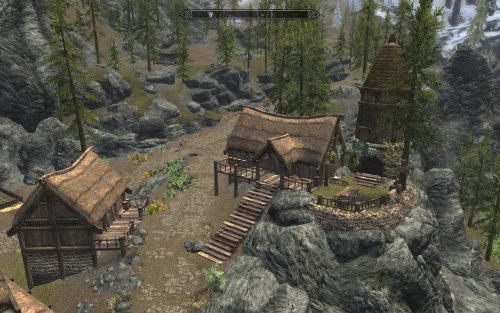
This is a patch made for this to mods Dragon Bridge by Arthmoor Merchants of Skyrim https://www.nexusmods.com/skyrimspecialedition/mods/55469 -
Version 2.1.5
5041 downloads
A comprehensive bugfixing mod for Fallout 4. The goal of the Unofficial Fallout 4 Patch (aka UFO4P) is to eventually fix every bug with Fallout 4 not officially resolved by the developers to the limits of the Creation Kit and community-developed tools, in one easy-to-install package. Warning: Only use the Unofficial Fallout 4 Patch with the latest release version of Fallout 4 patched through Steam! Using it on an older version may cause bugs or things not to be fixed that were advertised as such! It will of course be updated to match each official update, including having fixes removed that are included in official updates. See the full changelog for details.- 1 review
-
- 13
-
-
-
- unofficial
- fallout 4
- (and 2 more)
-

Version 4.3.1
17257 downloads
A comprehensive bugfixing mod for The Elder Scrolls V: Skyrim - Special Edition. The goal of the Unofficial Skyrim Special Edition Patch (aka USSEP) is to eventually fix every bug with Skyrim and its 3 DLCs not officially resolved by the developers to the limits of the Creation Kit and community-developed tools, in one easy-to-install package. Warning: Only use the Unofficial Skyrim Special Edition Patch with the latest release version of Skyrim Special Edition patched through Steam! Using it on an older version may cause bugs or things not to be fixed that were advertised as such! It will of course be updated to match each official update, including having fixes removed that are included in official updates. See the full changelog for details. Readme + Credits- 14 comments
- 3 reviews
-
- 44
-
-
-

-

-
- patch
- special edition
- (and 3 more)
-
Version 1.6.1
5462 downloads
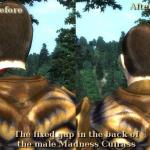
This mod is a joint effort to fix the vast amount of bugs currently existing in the Shivering Isles expansion pack for Oblivion v1.2.0416, fixing over 200 bugs so far! If you're experiencing a bug with Oblivion and it's not fixed by our mod please by all means report the bug to us in as much detail as possible so we can try fix it! Also if you find any: levitating trees or rocks, see-through or fall-through walls\objects or other stuff out of place, please let either of us know. To get the exact location, use the console commands sdt 0 and then tdt please note the Cell (not PC Cell) and Pos values and indicate what's out of place. You can use tdt again to toggle the debug display off. Thank you and we hope you have a better Oblivion experience! Warning: Only use the Unofficial Shivering Isles Patch with the version of Oblivion is was created for! Using it on an older or newer version then v1.2.0416 of Oblivion may cause bugs or things not to be fixed that were advertised as such! The complete changelog is available here. -
Version 3.5.8
16488 downloads
This mod is a joint effort to fix the vast amount of bugs currently existing in Oblivion v1.2.0416, fixing over 2,500 bugs so far! If you're experiencing a bug with Oblivion and it's not fixed by our mod please by all means report the bug to us in as much detail as possible so we can try fix it! Also if you find any: levitating trees or rocks, see-through or fall-through walls/objects or other stuff out of place, please let either of us know. To get the exact location, use the console commands sdt 0 and then tdt, click the item, note the Cell (not PC Cell) and form ID value (the eight hexadecimal digits at the top, ie 00123ABC) and indicate what's out of place. You can use tdt again to toggle the debug display off. Thank you and we hope you have a better Oblivion experience! Warning: Only use the Unofficial Oblivion Patch with the version of Oblivion is was created for! Using it on an older or newer version then v1.2.0416 of Oblivion may cause bugs or things not to be fixed that were advertised as such! The complete changelog is available here. -
Version 3.0.16
23721 downloads
A comprehensive bugfixing mod for The Elder Scrolls V: Skyrim - Legendary Edition. The goal of the Unofficial Skyrim Legendary Edition Patch (aka USLEEP) is to eventually fix every bug with Skyrim and its 3 DLCs not officially resolved by the developers to the limits of the Creation Kit and community-developed tools, in one easy-to-install package. Warning: Only use the Unofficial Skyrim Legendary Edition Patch with the latest release version of Skyrim patched through Steam! Using it on an older version may cause bugs or things not to be fixed that were advertised as such! It will of course be updated to match each official update, including having fixes removed that are included in official updates. See the full changelog for details. -
Version 1.2.1
9866 downloads
A comprehensive bugfixing mod for The Elder Scrolls V: Skyrim - High Resolution DLC, the goal of the Unofficial High Resolution Patch (aka UHRP) is to eventually fix every bug with the High Resolution DLC not officially resolved by the developers to the limits of the Creation Kit and community-developed tools, in one easy-to-install package. The complete changelog is available here.- 1 comment
- 5 reviews
-
- 5
-
-
-
- unofficial
- hi-res
- (and 3 more)
-
Version 2.0
665 downloads
Unofficial Morrowind Patch By UMP Team Version: 2.0.0 ========= Contents ========= 1. Requirements 2. Description 3. Installation 4. Removal 5. Load Order 6. Contact 7. Team Members 8. Changelog 9. Credits ============= Requirements ============= Morrowind, Tribunal, and Bloodmoon ============ Description ============ The Unofficial Morrowind Patch aims to fix the bugs in Morrowind, Tribunal and Bloodmoon that Bethesda never fixed. We intend to create a single patch that will incorporate the various patches and fixes that have been released in the past so that no additional fixes to vanilla Morrowind are needed - one patch to fix them all. We will continue to develop our patch to fix the bugs that are still oustanding after the other fixes have been merged. ============= Installation ============= Unzip archive to the Data Files folder and activate Unofficial Morrowind Patch.esm. ======== Removal ======== Delete individual files, using archive as a guide to the files. =========== Load Order =========== Morrowind.esm Tribunal.esm Bloodmoon.esm Unofficial Morrowind Patch.esm <other mods> ======= Contact ======= Visit the forums at https://www.afkmods.com/index.php?/forum/408-unofficial-morrowind-patch/ Please report bugs via the AFK tracker: https://afktrack.afkmods.com/ ============ Team Members ============ Amenophis, AndalayBay, Arthmoor, Dragon32, Fritz, Greatness7, Jac, Skrawfunda ========== Changelog ========== Initial version of the unified Unofficial Morrowind Patch. See separate file for complete change log. ======== Credits ======== Thanks to Thepal and quorn, who's patches formed the basis of this project. Thanks to Bethesda Softworks for developing Morrowind and the Construction Set. Thanks to Brucoms for developing the TES3 Readme Generator this readme was made from. -
[RELz/WIPz] Unofficial Skyrim Legendary Edition Patch [USLEEP]
Arthmoor posted a topic in Unofficial Skyrim Patches
Unofficial Skyrim Legendary Edition Patch Version: 3.0.15 By the Unofficial Patch Project Team Download it from AFK Mods Download it from Skyrim Nexus Download it from TES Alliance Download it from The Assimilation Lab Requires Skyrim version 1.9.32.0.8 or greater. Requires Official Dawnguard DLC. Requires Official Hearthfire DLC. Requires Official Dragonborn DLC. This mod is no longer being supported and will receive no further updates. Documentation + Credits USLEEP Discussion Forum on AFK Mods This mod is an effort to fix the vast amount of bugs currently existing in Skyrim and its 3 official DLCs. If you're experiencing a bug with Skyrim or one of the DLCs, please report the bug to us in as much detail as possible on the USLEEP bugtracker. Please use search to ensure that you aren't submitting something that is already there. Please also confirm that the bug you are reporting happens with no mods other than the unofficial patches installed. A lot of Skyrim bugs are actually the result of other mods doing things they're not supposed to. Thank you and we hope you have a better Skyrim experience! (Note that all fixes are retroactive unless otherwise noted) Frequently Asked Questions - BUGS Frequently Asked Questions - About the Project Mods Made Obsolete by Unofficial Patches Bug Fixes Recommended in Addition to the Unofficial Patches USLEEP Fixes When persuading or intimidating the Valtheim Towers bandit, they were going hostile immediately after doing so. They should have been on a 60 second timer, but that got ignored due to forgetting to take out the stage advancement in the dialogue. (Bug #24740) The Falmer shield should not have been given the ArmorHeavy keyword since no other shields use these and it interferes with the use of the Mage Armor perk. This partially reverts fixes for Bug #22958. A previous fix done for the Angarvunde dungeon ended up making it impossible to loot the key if you killed Medresi Dren prior to when she'd normally give it to you. (Bug #24797) [NR] Frostbite Staff was set to use the wrong type for the slow effect when it was fixed in a previous patch version. (Bug #25196) The enchantments governing the Pale Blade had once been fixed to provide an extra stamina effect to satisfy the double stamina damage. However this was incorrect because the standard frost damage effect already has a second AV weight of 2 which doubles that damage. Thus the blade was incorrectly delivering 3x stamina damage. This reverts Bug #10179. (Bug #25291) Cleaned with xEdit 4.0.1 to remove additional ITMs that were not visible previously. The complete changelog is available here.- 426 replies
-
- 4
-
-
- legendary
- unofficial
- (and 4 more)
-
Unofficial High Resolution Patch Version: 1.2.1 By the Unofficial Patch Project Team Download it from AFK Mods Download it from Steam Workshop Download it from Skyrim Nexus Download it from TES Alliance Download it from Dark Creations Download it from The Assimilation Lab Requires Skyrim version 1.9.32.0.8 or greater and the official High Resolution DLC. This mod is no longer being supported and will receive no further updates. Documentation + Credits USLEEP Discussion Forum on AFK Mods This mod is an effort to fix the bugs currently existing in the High Resolution DLC. If you're experiencing a bug with the High Resolution DLC, please report the bug to us in as much detail as possible on the UHRP bugtracker. Please use search to ensure that you aren't submitting something that is already there. Use the "Hi-Res DLC" option to tag your report for the Hi-Res DLC. Please also confirm that the bug you are reporting happens with no mods other than the unofficial patches installed. A lot of Skyrim bugs are actually the result of other mods doing things they're not supposed to. Thank you and we hope you have a better Skyrim experience! (Note that all fixes are retroactive unless otherwise noted) Frequently Asked Questions - BUGS Frequently Asked Questions - About the Project Mods Made Obsolete by Unofficial Patches Bug Fixes Recommended in Addition to the Unofficial Patches Credits: Quarn - For compiling together the initial release, including all of the adjustments after Bethesda's gigantic update in February of 2013. Nico coiN - The much improved version of the Tamriel objects normal map which includes Castle Volkihar for Dawnguard. Madcat221 - The missing hi-res environment map for Stalhrim shields, and for the hi-res fixes for the Dawnguard crossbow bolts. Texture Fixes Fixed a texture seam in the Thalmor robes for the loading screen. (textures\clothes\thalmor\thalmorrobes.dds) (Bug #21333) The complete changelog is available here.
-
I've been modding Skyrim SE ever since I bought. I have yet to play it due to the many wonderful mods I found and the excellent modding community. Now that SKSE and SKYUI are out, I'm determined to find my sweet spot between the different skills and leveling mods, the combat options, and the game play effects and changes. The real trick is to avoid CTDs which I was successful when I finalized my load order. My question is: What is the difference to having a mod being loaded last versus using a patch? For instance, if I have Wildcat, Combat Evolved and Deadly Combat loaded in that order, would there need to be a patch used in that scenario? What if I added Advanced Adversary Encounters to the list of mods and placed it last after Deadly Combat. What happens to the records without a merged or bashed patch? Is it always true - Last Mod Wins? Strat
-
it's easy, he says... the bottom one skips to fail instantly, the top one doesn't even want to hear it... i need one big egg timer hourglass that lasts 3 hours... yay...! it worked...! plot twist. :skull:
-
Version 1.1
173 downloads
This mod will allow NPCs to recognize all of the player character's talents and make the skill-based dialogue greetings (such as "you're a sneaky looking sort" and "look at the muscles on you!") less redundant once the player has reached high levels. The reason these dialogue lines may have never been spoken depends on what order the playable character's skills increased throughout the game. Eventually, once most/all skills have been maxed, the dialogue gets "stuck" at the top of the dialogue tree. The only modifications are the conditions that regulate how an NPC greets the playable character. Not only does this expand talent-based greetings, but also recover the generic "hello" greetings that are lost as the character becomes more powerful and famous/infamous. Testing the Mod Make sure the playable character has at least two attributes that are 70+ or two skills that are 70+. Otherwise, effects will not be experienced until later. Go up to NPCs (Imperial City Market will have the most during the day). They will usually greet the player with a generic "hello" dialogue line but other times they will comment on the player's skills. Mirrors Assimilation Lab Dark Creations Mod DB Nexus Mods TES Alliance -
Hi there, I'm currently working on a mod that adds factions and radiants tags (and icons) on quests, and asking myself a few questions about the best way to provide compatibility with changes mades in UFO4P (which I use too). Here is the mod : Factions and radiants quests tags (made with Beth.'s CK) I actually have non clue how ( or if possible ) to make a merge patch in the Creation Kit ... but have a few hours using FO4Edit ... so I started from there. I've spotted 4 quests I changed that are also patched in UFO4P : Min02, Taking independance > a `CNAME - Log Entry` moved from stage 40 to stage 45 BoSM01, The Lost Patrol > removed Properties `BoSM01DanseStage150CMPFinalReport0` from script managements RRR10, A clean equation & RRR11, High ground > Few conditions changes and additions My game didn't crash so far with the merge patch ... but I haven't stressed it enough so I'll have to push alpha tests further. Anyway, what I would like to ask is : 1. would you mind if I release the merge patch packed in my mod ( that would replace my esp depending of the choice of the user ) ? 2. could you confirm that the FO4Edit is a smart way to do it ... or not ... or if there is a better way ( like the CK ) ? 3. give me any tips or resources to go further (beside the classic CK Tutorials) ? I wouldn't find out ( or worse, that an user of my mod ) figured out that I didn't spotted and forgot changes,forms, ... anything. Regards, Aogara
-
Ok, so for those of you who were wondering, yes, we're planning to go ahead with doing an Unofficial Fallout 4 Patch. It may be a bit early for this, all depends on how aggressively Bethesda begins patching the game, but we figure it's best to get off the ground sooner rather than later so that we know more or less what to expect once the official tools are released. We will not begin any kind of proper work on the first release of the UFO4P until after the official CK/GECK is available. In addition, we probably won't be taking on any mesh or texture fixes until community tools have progressed far enough to handle these properly. Many of them are already making good progress, but they need to be in solid working order before anyone with 3D and/or texturing skills can really do effective fix work. There is little point in trying to fix much of anything until then. For now, just play, and enjoy the game like we are. There's no rush. Post any bug reports you have in our collection thread. This was basically to let folks know that we're on board for this. If you run into a quest bug, script bug, etc, please also report those here: http://forums.bethsoft.com/topic/1544248-bug-report-index-pc/- Bethesda can't attempt to fix what we don't report, and it's best for everyone if they do. The less we need to deal with when the time comes, the better.
- 61 replies
-
- 3
-
-
- fallout 4
- unofficial
- (and 2 more)
-
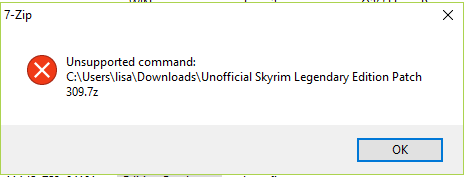
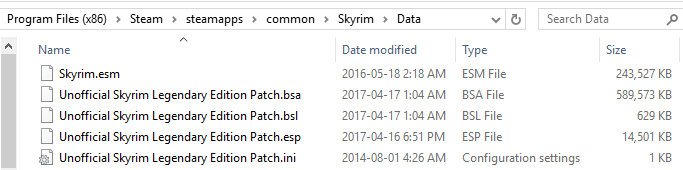
I just tested it out in game. When I have USLEP (Unofficial Skyrim Legendary Edition Patch) running, the FNIS spells do not work on npcs at all. However, when I turn it off and try again, this time the FNIS animations work. FNIS is necessary in order to run other animations... but USLEP is also necessary to run without bugs... any way to make them compatible? Whether FNIS or USLEEP is on individually or together - Mod Organizer, LOOT, and the mods themselves do not report any issues... they only happen when it comes to spells in game. I've tried using TES5Edit to change FNIS's masters if it relied on individual unofficial patches, but I noticed it's master is only Skyrim.esm so I canceled out of it. Before anyone asks, I'm not running a crap ton of mods right now and my pc is not at fault. I only have 6 mods which are all basic mods: (USLEEP, FNIS + Creature pack + spells pack, SkyUI, SKSE and Unofficial Hi-rez Pack.)
-
Unofficial Skyrim Legendary Edition Patch [USLEEP] [OLD TOPIC]
Arthmoor posted a topic in Unofficial Skyrim Patches
Unofficial Skyrim Legendary Edition Patch [uSLEEP] As many of you may remember, last year around this time we conducted a poll on whether or not it was the right time to consider unifying the unofficial patches into a single package. At the time, about 25% of those who responded to the poll were still in a position where they did not have all 3 DLCs for the game. So we decided against merging everything at that time. Fast forward to today, it's become quite clear that that 25% is far less than it was, and more and more people have been asking when we're going to be doing this. This post is your answer. Shortly after the release of USKP 2.1.3, we will begin the process of unification to merge the vanilla USKP plus all of the DLC patches into one all encompassing mod, which will be known as "Unofficial Skyrim Legendary Edition Patch", or USLEEP for short. A mouthful, but a catchy acronym. We have decided that the best course of action will be to rename the esp to match the mod's updated name. It will remain an ESP file flagged as an ESM as that makes the process of working on it less of a hassle for us and as has been proven, the game, CK, and existing mod management tools are completely fine with it. We have also verified that switching the ESP name will not cause any scripts modified by the project, or added new to the project, to throw Papyrus errors. The only side effect will be that the retroactive update scripts will all run again. That shouldn't cause any problems though and we'll make sure any scripts manipulating formlists are safeguarded against generating duplicate references in them. The hi-res DLC patch will remain a separate entity as many people do not use it for one reason or another and it's not considered part of the "Legendary Edition" of the game either. We estimate the time needed to do the work of merging everything together and then putting it through testing will take a few months. So we are not anticipating another release for the project between now and November while this work is done. Time commitments to other things are the main reason for this, so we figure giving ourselves enough time for that is prudent. Plus this also gives enough warning ahead of time that we're going forward with this. As many existing issues as we could resolve for the 2.1.3 release cycle have now been cleared from the tracker and any issues remaining that are not feasible to fix have been closed appropriately. Any new issues submitted after this point will need to wait until the unification process is complete before we will even begin to consider touching them. Please, DO report them, just don't expect action for awhile. If it should become necessary (God forbid) for a hotfix to be released before the unification is done, then that will be the ONLY issue that will be addressed and will be handled only in whatever patch it may affect. After the unification process is done, the existing separated patches will no longer receive updates. The files will remain up in their existing entries but will be frozen and the comment threads closed where possible. All future support will be handled on a single file entry for the unified project on each site it is hosted on. Mods which rely on using the USKP/UDGP/UHFP/UDBP are strongly urged to make plans to switch over to the new master file when it's ready. Other mods which import fixes from the unofficial patches are also strongly urged to make sure they are up to date before November. It would also be best if any translated versions of the patches out there get synced up with 2.1.3 so that as many people as possible will have access to them while the unification is underway. We will have a testing release at some point before the unified patch is ready to go live. The usual cautions against using beta copies on saves you intend to keep will apply. That step is going to last no less than a full month so that there's time enough to shake out any bugs that result from the process. ======================== Some of you may also be wondering what this means for my own projects that make use of the unofficial patches as masters. These will all be converted as needed to run using the unified patch file. Post-unification, I will not release mods that rely on the individual patch files. So things like Bring Out Your Dead, Cutting Room Floor, Ars Metallica, and other stuff, will all get taken care of on whatever schedule fits best as the process moves along. In the case of Cutting Room Floor, this will also open the door to adding cut DLC content that's been getting logged to the tracker. So it'll be worth it Once I make these transitions, any old copies relying on the old patch files will be frozen. -
Unofficial Hearthfire Patch Version: 2.1.3 By the Unofficial Patch Project Team These files are no longer available for download - please use the Unofficial Skyrim Legendary Edition Patch instead. Requires Skyrim version 1.9.32.0.8 or greater and the official Hearthfire DLC. USKP Discussion Forum on AFK Mods This mod is an effort to fix the vast amount of bugs currently existing in Hearthfire. If you're experiencing a bug with Hearthfire, please report the bug to us in as much detail as possible on the USKP bugtracker. Please use search to ensure that you aren't submitting something that is already there. Use the "Hearthfire DLC" option to tag your report for Hearthfire. Please also confirm that the bug you are reporting happens with no mods other than the unofficial patches installed. A lot of Skyrim bugs are actually the result of other mods doing things they're not supposed to. Thank you and we hope you have a better Skyrim experience! A special note for reporting placement errors for Hearthfire. Due to the nature of the mod, the CK is bogged down with hundreds of references overlapping each other visually. It is impossible to do placement corrections without a form ID for the reference you're reporting. Please include this information in any placement error reports. From this point forward, any bugs submitted to the tracker without this information will be closed without investigation. Any posts to the forums without this information will be ignored. There simply isn't any other feasible way to fix these. Thank you for understanding. (Note that all fixes are retroactive unless otherwise noted) Frequently Asked Questions - BUGS Frequently Asked Questions - About the Project Mods Made Obsolete by Unofficial Patches Bug Fixes Recommended in Addition to the Unofficial Patches List of known conflicts and fixes for Hearthfire. Good info for when you're having problems and need to locate a potentially conflicting mod. Audio Fixes The player's adopted children would attend the player's wedding, but they had no dialogue recorded; created new dialogue lines for them (Sound/Voice/Unofficial Hearthfire Patch.esp/FemaleChild/Relationsh_RelationshipMar_0004CC90_1.fuz, Sound/Voice/Unofficial Hearthfire Patch.esp/FemaleChild/Relationsh_RelationshipMar_0004CC91_1.fuz, Sound/Voice/Unofficial Hearthfire Patch.esp/MaleChild/Relationsh_RelationshipMar_0004CC90_1.fuz, Sound/Voice/Unofficial Hearthfire Patch.esp/MaleChild/Relationsh_RelationshipMar_0004CC91_1.fuz). Script Fixes BYOHRelationshipAdoptionChildScript: Using EquipItem() and RemoveItem() along with SetOutfit() is redundant and can lead to inventory duplication. SetOutfit() already takes care of removing the relevant items. The script was also erroneously setting the sleep outfits instead of the normal ones. Placement/Layout/Ownership and other World Object Fixes 0300BEFF, 03015245, 03017544: Clipping sacks. (Bug #19417) The complete changelog is available here.
-


Support us on Patreon!